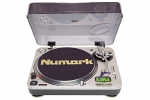
 Decks essential for mixing
|
This page was designed to give a insight of the basic mixing skills a dj needs to be sucessful.
Firstly, understand that learning the basics of Dj'ing, which in this case is beat-matching, is something that you'll have to work hard at, and really teach yourself. I can give out as many pointers here, but from all the mails I've had over the years saying "I can't really get it, can you give me any more pointers" it seems to me that people expect to be able to match their tunes in a matter of hours. It's a really hard thing to do at first, and you just have to keep practising until you get it.
What's the aim of it then?
Well, the point of beat-matching is to take two tunes, and make them run at exactly the same tempo (BPM). Why? So you can play the two tunes together and go from one to the other without there being a change in the beat. Why? So that the people on the floor don't have to shuffle step to get back into the rhythm of the music. Why? coz otherwise they'll leave.
What I advise you to do when starting right from the beginning is to go out and buy two copies of the same record. IT doesn't 'really' matter what one it is, but personally, I reccomend something that's very simple. Dutch Trance isn't the easiest thing to learn on becasue it's really involved, and sometimes it's hard to hear the actual beats. I've always found from teaching other people to mix that Paul Van Dyk's tunes are perfect for learning, if only because his bass drums are really solid, and really dominant - and as it's the bass drums you'll be looking for, this is something that can really help you out. It's a nice idea to find a tune that doesn't have a beatless intro - you will get more luck out of one that starts immediately into the beats.
Put both copies of the records onto your decks, and set the pitch to 0 (on most decks, a green light will come on to let you know it's at 0 and it'll probably click into place - useful know, a right pain in the arse in the future!!) The point of this is so that both tunes will always be playing at the same tempo, so you don't have to worry about the pitch control. Even on the most basic of decks, 0 pitch is always the same (well, not always, but in 90% of the cases)
Set your mixer up so that the channel faders are both up and the cross fader is in the middle. This means you'll hear both tunes when they're playing. Don't worry about your headphones for the moment.
Go to one of your decks, and put the needle on the record near the beginning, and let it play. Now put your finger on the record, and turn it backwards until you pass the beginning of the first beat. (You can put the needle on at the very edge of the vinyl and wind forwards if you want - put I'll stick with the way I've just mentioned).
Now (with your finger still on the record) wind the record forward a bit, until you hear the bass beat. Then go back a bit until you've hit the very beginning of the beat again. Some will advise that it's nice to do a small scratch with the tune, rocking back and forth over the beat so you're comfortable with where it is.
Now press stop, leaving the needle just before the beat. Start the other deck and let it play.
While it's playing, go back to the other deck. Listen to the tune that's playing and hear where the bass beats are occuring (not a hard thing to do in most music!). If you want to tap eyour head, nod your head or even say "boom, boom, boom, boom" as the beat occurs, please do - just don't do the last one if you're ever working anywhere!!.
Go back to the stopped deck. Put your finger on it, holding it still, and press start. The deck should be running underneath the stopped record. If it's not, shame on you for buying cheap decks!!
So. What we have now is one tune playing out through your amp right now, and the other one stopped by your finger. Go back to the idea of rocking the beat on the one that's stopped, and try to rock it back and forth in time with the record that's playing. Then, when you feel comfortable with hearing the beat you're rocking back and forth at the same time as hearing the beat from the tune that's playing, let go.
Chances are you haven't let it go at a point in the tune where everything will match audibly, but as long as the bass drums are occuring at the same time, that's all that matters for now.
So. You've let go of the cued tune. One or two things might have now happened.
1) You let go perfectly in time (well done smart ass, do it again).
2) You let go too early. (Stop the tune, wind it back, try again)
3) You let go too late. (see above). Number 2 and 3 above are common problems. You'll either have choked at doing it and let go too soon or late, or maybe it's just that the deck wasn't running at full speed when you let go, so though you let go in time, it's not at the same speed as the other deck, and thus is out of time. What to do if you suspect this is to give the record a light push when you let go, sending the deck up to the correct speed - and hopefully making both beats happen at the same time.
Keep at it. Restart when you cock up, and keep doing it until you're comfortable with it, and can do it nearly everytime.
The next part of this beginning stage is being able to fix this little errors without stopping the deck and starting over. It's a bit difficult, becasue you have to know what you've done wrong, but the application is easy enough.
There's a few methods to what I'm about to write, pick the one that's best for you.
If you've started the beat too soon, and it's running ahead of the one that has been playing, then you need to slow the deck down a bit. By far the safest and easiest way of doing this is to rest your finger on the side of the deck plate lightly (where the bumpy bits are) and apply a little pressure to slow the deck down very slightly. When you've slowed it down so the beats are now aligned, take your finger away.
If you've not started the beat fast enough, and it's now lagging behind the other one, you need to speed the deck up slightly. The way I do this is to place my finger on the label of the record, and 'help' it turn a little faster. There's a couple of problems that can be associated with this though. 1) That you thump your finger onto the record, and make the needle jump (easily fixed, don't do it again!) and 2) that with your finger on the record, if you're not helping it round fast enough, you'll actually be SLOWING down the deck, something you DON'T want to do. Just make sure to get it right.
(Here's the other methods)
1) Instead of using the label of the record to turn the record faster, grip the centre spindle of the deck and turn that - a lot of people do it that way, so maybe it works best for you
2) Instead of touching the side of the deck to slow it down, a lot of people just use the pitch fader, decrease the pitch until the records are in time, then return it to the original position. The only problem with this is that it's tricky to get the pitch fader EXACTLY back to the original position - unless that position was the 0 pitch mark of course.
Choose whatever method you wish - it's up to you
THE NEXT BIT
Right, so you've learnt how to start a record - groovy. The next thing you have learn is how to change the tempo of the tunes using the pitch control in order to make the tempos of the two tunes be same.
This is the hardest part of basic Dj'ing that you'll encounter. You can expect the first part above to only take you a couple of hours or so, this next bit when taken to its fill extent can take people anything from a couple of days to a couple of months, or even worse, a couple of years. What it hinges on is:- 1) How much practise you put in.
2) How well you can train your brain to listen to two differnt things
3) How much of an attention span you have
4) The decks you're using.
Anyway, that's kinda beside the point for what I'm writing this afternoon. On to it then.
Still keep your two tunes on the decks, and still keep both channel faders up and the cross fader in the middle - you're still not using your headphones yet. I know, you're getting a bit bored of your tunes now. But stick with them.
Move the pitch slider on one of the tunes so it's now running faster than normal (to about the 2% mark or something.
Now, do what you were doing before, keeping the other tune at 0 pitch. When you start it, within a second or two, the beats will start galloping away from each other. Speed up the deck that's at 0 pitch, so it's back in line with the other tune, and increase the pitch.
You're allowed to cheat today. You know that if you set it to 2%, the tunes will now be running at approximately the same tempo, and won't go out of time as quickly as you first tried it.
But, what will happen in about 98% of the time, is that after 20 seconds or so, the two beats will start to drift out of time again, and give enough time will start galloping again.
There's a reason for this. Though you've set the two pitch faders to 2 percent, it's a visual thing on the fader that you've used. You've not actually set both to bang on 2%, you set one of them to (for example) 2.1% and the other to 2.5%. This 0.4% of a difference in pitch can mean anything up to and even over 1 beat for every minute set this way of a difference.
So. When you hear the two tunes drift, what do you do? Well. This is when you hit the pay-dirt of probelms in Dj'ing.
The first thing you'll probably think is "How do I know whether the tune I've just sped up and adjusted (let's call it the CUED track - you'll get to know why later) is now running too fast or too slow?" Hehe. You have NO idea the amount of mails I've had asking me about this one.
The answer is this. When you're just starting out, and if you've not got an ear for this anyway, then chances are you won't. The best thing to do for now is just go through a trial and error process. Just assume it's running too slow, and speed up the record a bit. Now, you've either just speeded up a tune that was already running too fast, thus putting it WAY out of whack, or you've just got the beats aligned.
If you've fixed it by speeding up, then move the pitch fader VERY SLIGHTLY up a bit. We're not talking a lot for now, just a little bit, a millitmetre if you can.
If you're not left with a galloping beat worse than normal, the slow the cued record down a bit, till you'e back in time, and then reduce the pitch a slight amount.
If you keep going through this process, and your decks are good enough, I promise you that after a few times (or a lot of times) you'll eventually get both tunes running at the same tempo.
(some things can cause problems though. If you have cheap decks, then they probably won't hold their pitch that well, so though you're adjusting things the way you should by the book, the deck is throwing up wildcards, changing the speed it's running at - making your adjustments almost pointless. This is something you'll have to learn to live with if the decks are bad, and just learn to deal with it. Also, sometimes a record can actually change its pitch through the course of its playing. Either because it's been recorded with a slight tempo change, or the record is warped, or has been badly pressed or something. These factors CAN come into play - and it's a right pain. Unfortunately, there's not really that much you can do at this stage, but the point of what you're learning while doing this section is so that when the deck or record goes slightly out of time, you can fix it.)
Repeat this process as long as you can without sheer suicidal boredom setting in. Set thepitch to different positions, on both decks, and learn to change and adjust the pitch, both in large course changes (from -6% to +3% etc) and from deck to deck.
I know I said boredom might set in, but this is a vital part of learning to Dj, you have to be able to change the pitch of the tunes so that they're running at the same tempo.
Up until now, this has been aided by the fact you're using two tunes of identical Beat Per Minute (which is what the tempo relates to). So, by setting one pitch fader to +4%, you know that if you set the other to that area, you're going to be VERY close to getting the tempos correct (which I will now refer to as the more common descriptive - Beats Per Minute (BPM) ) .
The next stage up from this one would be still to use the same tunes, but when changing the pitch, try not to look at the other one and match it, try to use your ears - takes discipline, but it can be done. Just listen to what's happening to the beats, and try to decipher whether it means you have to increase or decrease the pitch. It's 'fairly' simple if there's a huge discrepency in pitch, but gets tricky when you have small differences - which is what I'll go onto after the next section.
INTRODUCING YOUR HEADPHONES TO THE PROCESS
Remember that you've not included your headphones into the scenario yet, well, you can now.
The only things you're changing in your set up from the above pieces is that you now close the cross fader off onto the tune that you'll be playing live through the amp. The record you're bringing into the mix is the CUED track, and will only be heard through the headphones until you move the cross fader across to that channel.
The one thing I'd say about headphones is that it's a good idea to learn about single ear monitoring. What this is (simply) is that you have one ear with the headphone over it, and the other ear is 'exposed' to the live sound coming from the speakers. In time, you'll understand that this can be very important - hard to explain why, and a bit pointless right now as I'll probably confuse matters, but if you can start to do it this way from the very beginning, then it'll help you in the long run.
This isn't to say that having both ears of your phones on isn't right, there's no right or wrong when it comes to Dj'ing, just the way you do it. The only problem I forsee when it comes to the bare bones of mixing is that you need a headphone mix to do it this way, and when both tunes are playing through the heapdhones, it can sound kinda messy, so having one ear open to live sound can kinda consolidate the beat, so you still know when it's occuring (ah, shit, I've confused myself now.......moving on!!)
Note:- If you don't have a headphone mix on your mixer, then you'll have a bit of trouble understanding what I'm on about here, the same principle will apply for you, but instead of hearing all this stuff in your headphones, you have to rely on the live sound to check it all - which is dangerous.
Bet all you people with headphone mixes are now happy you got a decent mixer!! In case you're unsure what I'm on about, a headphone mix is a control which allows you to hear the cued track in your headphone, and then being able to vary the amount of the live tune you can also. There will be a control, either a little slider like the cross-fader or a rotating knob to control this. On one side, you'll hear nothing but the cued track, on the other, nothing but the live track - in the middle, both at the same volume, and then varying degrees in between.
So, simply, all you have to do now is go through the first two sections, using your headphones.
The principle is really the same. If you have a headphone mix, turn it so you can hear the tune that's playing live very slightly in the headphones, then rock cued record back and forth in time with what you're hearing - let go of the beat, and listen in your headphones to see if it's in time or not. You may want to increase, or decrease the volume of the live track that's playing through your headphones at any point - just to make sure things are going well.
At this point, things will start to move up a gear in the realms of difficulty. Before, you were listening to the live sound, and just guessing whether to speed up or slow down the cued track when you were out of time. Then, once you've gottten a little better at it, you might be able to tell a bit easier whether the tune needs slowed or speeded up. This is still hard when done only through the speakers, but it's a lot harder to do when you've only got one ear of your headphones on, and the live sound is pumping out. Which brings me nicely onto the next section.
USING YOUR EARS
As I said at the beginning of the last section, this part of beat-matching is one of THE hardest things you'll go through. Please be vigalent at your practise, concentrate, listen, relax, but most of all PRACTISE!!!
|
MIXING TWO DIFFERENT TUNES TOGETHER
This is where is gets a lot more involved. Up until now, you've had the safety of knowing that the two tunes you've got on your decks are at an identical pitch - we're now going to kill that safety net my introducing two different tunes, which will have different sounds, and different BPM's.
As before, try to pick two tunes that are pretty simple in their make up. Anything too complicated can throw a curve at you, and you'll be a bit lost for a while. If the tune you had two copies of is pretty simple, and you're not too sick of it, you might want to use that one, then pick another of a simple nature.
So, through all the boring practise you've just gone through - you should now be able to match the BPM's of tunes, even if it takes you a while - at least you know how, you should be able to start a tune when you want to - and if you cock it up - be able to fix it, and you should now HATE the tune that you had two copies of. Great, you can move onto the next level. BUT, what is now a good idea to think about if you're really wanting to learn before application - and not just by trying stuff out and stumbling onto the answer, is to think about the structure of songs. In a pretty handy way
So, we now get into the point of tempo's and BPM's. The one thing I'd say here is that you don't have to work out the BPM's of your tunes if you don't want to. Some people find it pretty handy when learning to know how fast their tunes are. When I started, I counted the BPM's of all the tunes I was going to learn with, just to give me a leg up - then, once I was competant at mixing with known BPM's, I stopped counting, and used my ears.
But, for the purposes of this (rather long) page, we'll go for the fact that you know what the BPM's are (go to my FAQ if you want, where there's a little bit about how to count the pace of your tunes).
Again, for example purposes, let's assume that one of your tunes is 130Bpm and the other 135BPM. Set one of them (lets use the 135) to 0 pitch, and start it.
When you line up and start the 130BPM tune at 0 pitch, you'll notice that the bass beats will start to run loose, and very quickly go out of time. So, what you need to do is increase the pitch of the tune with 130BPM's. You have a choice, you can either roughly set the pitch fader to a point on the scale, let the record play, and see if you've gotten anywhere near the increase you needed, or you get out your calculator, and work out what %age you'd have to increase a 130BPM tune to be running at around 135BPM (just under 4% - I just did it).
It's your choice on how you do it - but I think you'll look a bit odd trying to Dj with a calculator!!
The point is, you know that the 130 tune will have to be increased to get to 135. Chances are though, you're not going to hit the exact point immediately, but you might be close. The problem is, what way are you close? Did you go too fast, or too slow? Well, at this point in your learning, you're not really going to know. What you have to do really is just listen to what's happening, but that's not the easiest thing to do - at all - when you're beginning.
But, here's what I suggest. You've increased the pitch of the tune. Now line up the bass beat, and start the cued track. Has it gone out of time? Well, we'll assume yes. Have a listen to what's happened first, listen to the bass beats, and try to see if you can tell just by hearing. No? Well, stop the tune and increase the pitch a little. Line up the bass beat, and start the record. Has it gone out of time again? Yes? Well, if it's gone out of time, and it went that way faster than before, then chances are you were already running too fast, and your pitch increase has made the beats slip out of time a lot quicker than before. So, decrease the pitch by the amount you just increased it, and a little more, and start again. And, really, just swing back and forwards, all the time listening to the sounds in your headphones, all the time concentrating on where the bass drums are happening. This is where it is sometimes helpful to tap your feet along with the live tune - you might be able to catch whether you're running too slow or too fast if you do this.
What will probably happen at one point though is that one moment you're running too fast, then the next you're running too slow. What's happening here is that the changes you're making to the pitch control are too large, try to tap the fader up or down if it's loose enough, or just be REALLY soft about it, so the increases aren't as large as before.
Another thing you might think of doing after your initial goes at matching the BPM's is not actually stopping and starting the cued record. By now, through the things you were doing with the two identical tunes, you should be able to fix two tunes back in time when they're out of sync. Ok, you're running at a different pitch setting right now, so when you get the tunes in line, they'll start to wander off again, but if you can fix the bass-beats so they co-incide, WHILE making the changes to the pitch control, you're learning fast.
It can be a bit like patting your heat and rubbing your stomach at first when you're trying to change the pitch and slow down the record, but remember that if you're having to slow down the record to get it in time, chances are you have to reduce the pitch setting too - so they are related to each other in that sense.
And, this is the point where I come back in to the "sounds of a beat too fast or too slow" again. You won't have the problem with phasing happening when you use two different tunes, so you should be able to hear the differences the bass drums make a lot better when they are out of sync. Again, take all the time you need to get the tunes lined up - even go back to not using your headphones for the moment, until you're lined up again - then knock the cued tune too slow or too fast (don't touch the pitch control though if you've set it to the right point). Listen to the live sound, and to the sound in your headphones when you've got the cued tune running too slow, then when you've got it running too fast.
Once you've had a few goes at this, and managed to get the 130BPM tune to run with the 135BPM tune, now do it all in reverse. Set the 130BPM tune to 0 pitch, and then reduce the pitch of the 135 tune so it will now match the 130BPM of the one playing live.
Now, if you have five or six tunes, try different combinations through them all doing the same thing as above, take your time to get them matched together, then make them go out of time by varying degrees, at first just a little, then a bit more, then a lot - in both directions - and listen and learn the sounds that you're hearing in your headphones.
Remember that you're still learning at this point. Everyone from Tall Paul to Paul Oakenfold had to learn how to do these basics. It IS VERY frustrating at times, and I do sympathise with all the thoughts of pissed off anger running through your head at times, but the truth is, if you practise - a lot, concentrate - a lot, and try to enjoy it - then you'll get there in the end. It's like learning to drive. Right now you're learning how to make the car move, you're changing gear, indicating etc, once you've got these basics down, you can learn to drive. (one of my favourite analogies, it'll probably crop up a lot)
So, through all the boring practise you've just gone through - you should now be able to match the BPM's of tunes, even if it takes you a while - at least you know how, you should be able to start a tune when you want to - and if you cock it up - be able to fix it, and you should now HATE the tune that you had two copies of. Great, you can move onto the next level. BUT, what is now a good idea to think about if you're really wanting to learn before application - and not just by trying stuff out and stumbling onto the answer, is to think about the structure of songs.
|
|
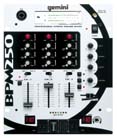 A gemini mixer
|
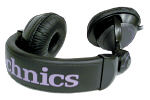 Headphone the third element in mixing
|
|
|

